
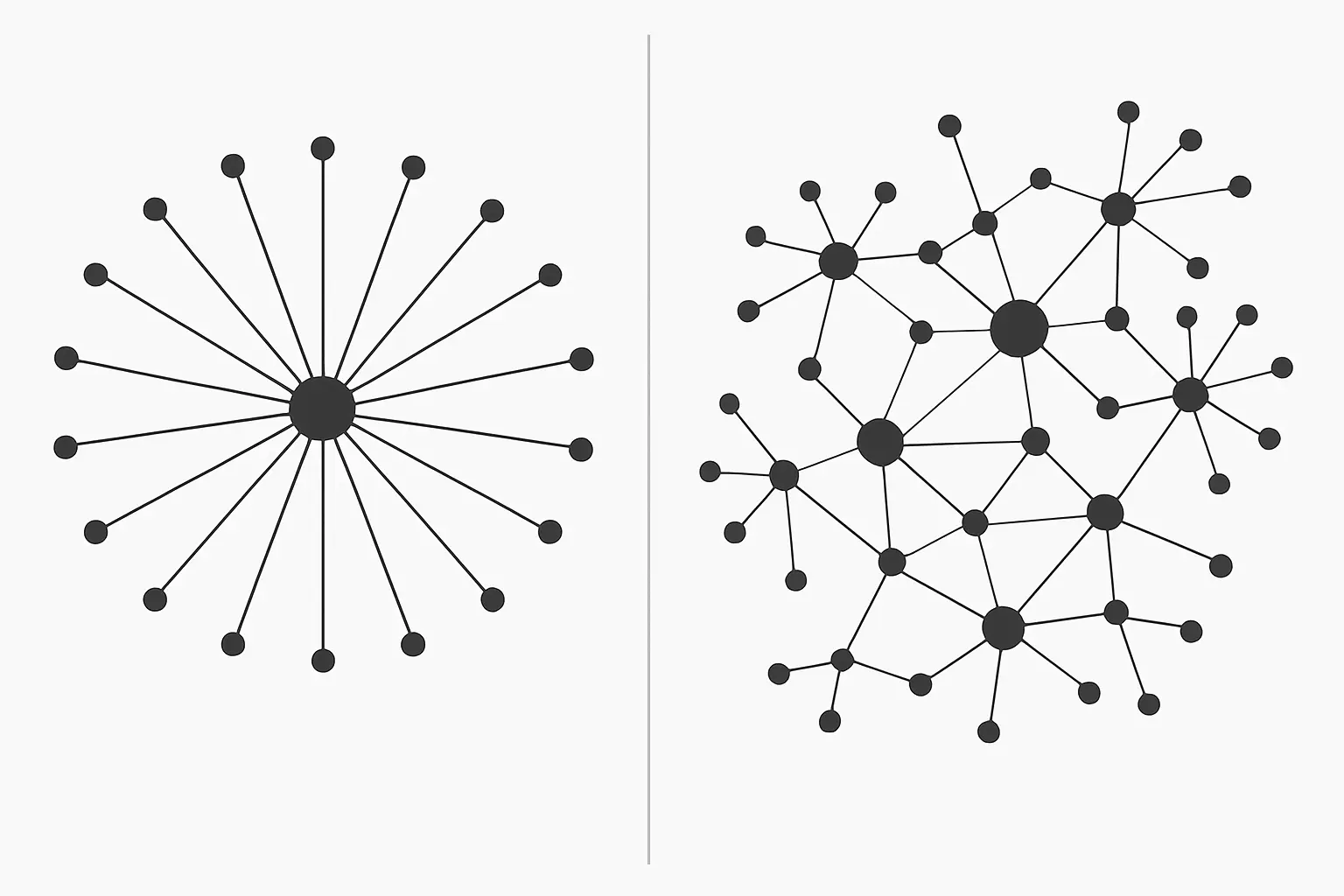
Connected Papers and ResearchRabbit both turn a single seed paper into a visual map of related work, but they are not interchangeable: Connected Papers builds one similarity graph radiating outward from a paper you choose, optimised for a fast first look at a field, while ResearchRabbit builds a persistent, growing network from a whole collection of papers, optimised for tracking a literature as it develops across your candidature. This site’s own broader survey, Best AI Research Assistants for PhD Students, names both tools among six; this piece runs the direct head-to-head a candidate choosing between just these two actually needs.
Comparison table
| Criterion | Connected Papers | ResearchRabbit |
|---|---|---|
| Core unit | One graph per seed paper | Persistent collections you keep adding to |
| Discovery method | Similarity graph from co-citation and bibliographic coupling around one paper | “Similar work” expansion from bibliographies, citations and co-authors across a whole collection |
| Scale claimed | Not stated on its public pages | Over 310 million academic papers indexed, per its own site |
| Best used for | A fast first map of a new sub-field from one anchor paper | Ongoing tracking of a literature as new papers appear across a multi-year project |
| Free tier | Free with a capped number of graphs a month; unlimited on a paid Academic plan | Free to sign up and use, per its own site, with no usage cap stated on its public pages |
| Reference manager integration | Import from a reading list; export links out | Collections import from and sync toward reference libraries |
| Cost over a 3–4 year PhD | Potentially free throughout if graph count stays under the cap each month; otherwise a modest recurring Academic-plan fee | Potentially free throughout on current terms; re-check before relying on this for the whole candidature |
How does Connected Papers actually build its graph?
Connected Papers takes one paper you choose and builds a single visual graph of papers most similar to it, using a combined similarity signal drawn from co-citation (papers frequently cited together) and bibliographic coupling (papers that cite many of the same sources) rather than plain keyword matching. The result is a graph you read in minutes: node size for citation count, colour for publication year, and side panels for “Prior Works” (what the seed paper itself cites most) and “Derivative Works” (what cites the seed paper) — giving a candidate a genuinely fast way to see a sub-field’s shape from a single known starting point. Its free tier caps the number of graphs available each month before nudging toward a paid Academic plan that removes the cap — the exact current cap and price are worth checking on the tool’s own pricing page at the point you sign up, since free-tier limits on tools like this move without much notice.
How does ResearchRabbit build its network, and how is that different?
ResearchRabbit organises around collections rather than single graphs: you add one or more seed papers to a collection, and it surfaces “similar work” by analysing bibliographies, citations to those articles, and co-authorship patterns, then keeps learning as you add or remove papers from the collection — described on its own site as a “rabbit hole” of connected research that deepens the more you interact with it. It reports indexing over 310 million academic papers and serving more than one million researchers worldwide, per its own site. Because a collection persists and grows, ResearchRabbit suits a literature you are tracking across years, not just mapping once — new papers that cite your seed set can surface automatically as they are published, which a one-off Connected Papers graph will not do unless you regenerate it.
Which one actually suits which stage of a PhD?
In year one, scoping an unfamiliar sub-field, Connected Papers’ single-graph speed is the better fit — drop in the one seminal paper your supervisor gave you and get an immediate visual sense of the surrounding field in under a minute, before committing to a full systematic search. Once the literature review chapter itself is underway and the reading list has grown into dozens of papers across several sub-themes, ResearchRabbit’s collection model becomes the stronger tool — organise papers into collections by theme, and let new citing papers surface automatically as your candidature runs into year two and three, rather than re-running a manual search every few months.
What can neither tool actually do?
Neither tool reads or synthesises the content of a paper for you — both surface which papers are related, not what each paper argues or how strong its evidence is, so the analytical work of reading and synthesising still falls to the candidate. Neither tool distinguishes a paper’s methodological quality from its citation count; a heavily cited paper that is nonetheless methodologically weak will appear prominently in both graphs, and a candidate has to apply their own critical appraisal rather than treating graph centrality as a proxy for quality. Neither indexes grey literature, unpublished theses or non-English-language work comprehensively, which matters for a review that needs to be genuinely systematic rather than only covering the indexed, English-language mainstream of a field. And neither is a citation manager — papers found in either tool still need to be imported into Zotero, Mendeley or EndNote to be tracked, annotated and eventually cited in the thesis itself.
Where does citation-graph discovery genuinely struggle?
Both tools structurally underperform on genuinely interdisciplinary or very recent topics, for related but different reasons. An interdisciplinary thesis that sits between two fields with separate citation cultures (a bioethics thesis drawing on both clinical medicine and moral philosophy, for instance) will often see each tool’s similarity graph collapse toward whichever field the seed paper’s citations lean into more heavily, under-surfacing the other field’s literature — a candidate working across disciplines should deliberately seed graphs and collections from papers in both fields separately, then merge the reading list manually, rather than trusting one tool to bridge the gap on its own. And a fast-moving applied topic (a new regulatory framework, a newly released AI model) will simply not have enough citation history yet for either tool’s core mechanism to work well, which is when a direct database or web search of the primary sources themselves remains the more reliable method.
A first-week workflow for combining the two
A practical sequence for a candidate starting a new literature review chapter: begin with one or two seminal papers your supervisor names, drop each into Connected Papers to get an immediate visual sense of the surrounding cluster and identify five to ten papers that recur across both graphs’ “Prior Works” and “Derivative Works” panels. Import those into a new ResearchRabbit collection, named for the sub-theme, and let its “similar work” suggestions run for a week before adding anything further — this avoids the common mistake of adding every suggested paper immediately, which produces an unmanageably large collection before you have read enough to judge relevance. Finally, cross-check the resulting reading list against a structured Scopus or Web of Science search on the same terms, to catch anything a similarity-based tool’s citation-graph approach would structurally miss — papers too new to have accumulated citations yet, for instance.
Do either of these tools raise data-privacy concerns for unpublished work?
Both tools are built for discovering already-published literature, not for uploading your own unpublished thesis chapters or unpublished data — used as intended, seeding a graph or collection with published papers’ titles and identifiers carries none of the confidentiality risk that uploading an unpublished manuscript to a general-purpose AI writing tool does. Where a candidate is tempted to use either tool’s account settings to store personal reading notes or draft annotations alongside collections, it is worth applying the same five-question check this site’s guide to putting unpublished thesis data into an AI tool sets out — what the tool’s terms say about training on your content, where the data is processed, and whether anything beyond published-paper metadata is actually being stored there.
Recommendation
For a one-off, fast map of an unfamiliar sub-field: Connected Papers. For an ongoing, multi-year literature you need to keep current without re-running searches by hand: ResearchRabbit. Most PhD candidates in year one end up wanting both — Connected Papers for the first orientation, ResearchRabbit for the collection that carries the literature review through to submission. Neither replaces the structured database search a methodology chapter needs to cite as its actual search strategy, and neither replaces the analytical synthesis a strong literature review chapter needs a human researcher to write — tools like Tesify’s thesis workspace are built for that synthesis step, once the reading list itself has been mapped.
Frequently asked questions
Is Connected Papers free to use?
It offers a free tier with a capped number of graphs a month, and a paid Academic plan that removes the cap for verified academic users — check the current cap and price on its own pricing page, since free-tier terms on tools like this change over time.
Is ResearchRabbit completely free?
Sign-up and core use are free according to its own site, which states no usage cap on its public pages — check its own site directly for any tier changes before relying on that for a multi-year project.
Does ResearchRabbit integrate with Zotero?
ResearchRabbit’s own site describes bringing a reference library into the platform generally as a starting point for a collection; check the tool’s own current integration documentation for the specific reference managers supported, since integrations change.
Can I use either tool’s output directly in my methodology chapter as my search strategy?
No — both are discovery and mapping tools built on similarity signals, not documented, reproducible search strategies. A systematic or PRISMA-style methodology needs a structured database search with recorded terms and dates, which neither tool is designed to provide on its own.
Which tool is better for a systematic review specifically?
Neither replaces the systematic search itself, but ResearchRabbit’s persistent collections can help surface papers a structured search missed, useful as a supplementary check before finalising a systematic review’s included-studies list — always disclosed as a supplementary step, not the primary search method, in the methodology chapter.
Do I need to pay for either tool during a UK PhD?
Not necessarily — Connected Papers’ free tier and ResearchRabbit’s free access cover most individual candidates’ needs; a paid upgrade becomes worth considering mainly if you are running many parallel literature-mapping sessions across a large, multi-strand thesis.
How is this different from the tools this site’s broader AI research assistant comparison already covers?
That piece surveys six discovery and appraisal tools at a broad level; this piece runs the specific two-tool comparison in enough depth to choose between just Connected Papers and ResearchRabbit when that is the actual decision in front of you.
Will either tool find a paper that has just been published, before it has any citations yet?
Not reliably — both rely substantially on citation and bibliographic-coupling signals that take time to accumulate, so a paper published in the last few weeks or months may not yet appear prominently in either graph, which is exactly why the first-week workflow above still recommends a structured database search alongside them.
Is either tool a good fit for an interdisciplinary thesis?
Use both carefully rather than relying on one graph — seed each tool separately from papers in each discipline your thesis spans, then merge the results manually, since a single graph or collection tends to lean toward whichever field the seed paper’s citations are strongest in.